



Are you feeling weighed down by the news and craving something more uplifting? Looking for a bit of help staying on top of your to-do list? Do you want news catered solely to you? ChatGPT Tasks is here to lend a hand. In this article, I’ll walk you through tasks, show you how to set up a morning AI news schedule and share some creative prompt ideas to inspire you.
Editor’s note: As of this article’s publish date, January 2025, ChatGPT scheduled tasks are in beta and only available for paid accounts.
🤔 What are ChatGPT Tasks?
Do you write daily prompts to ChatGPT? If some of them feel repetitive, like asking for a morning workout plan or checking in on tasks you must complete for the week, you can have ChatGPT proactively contact you.
A task is a prompt that responds based on a schedule you define. The following image shows a four-step process that ends with your task sending you updates when you request them.
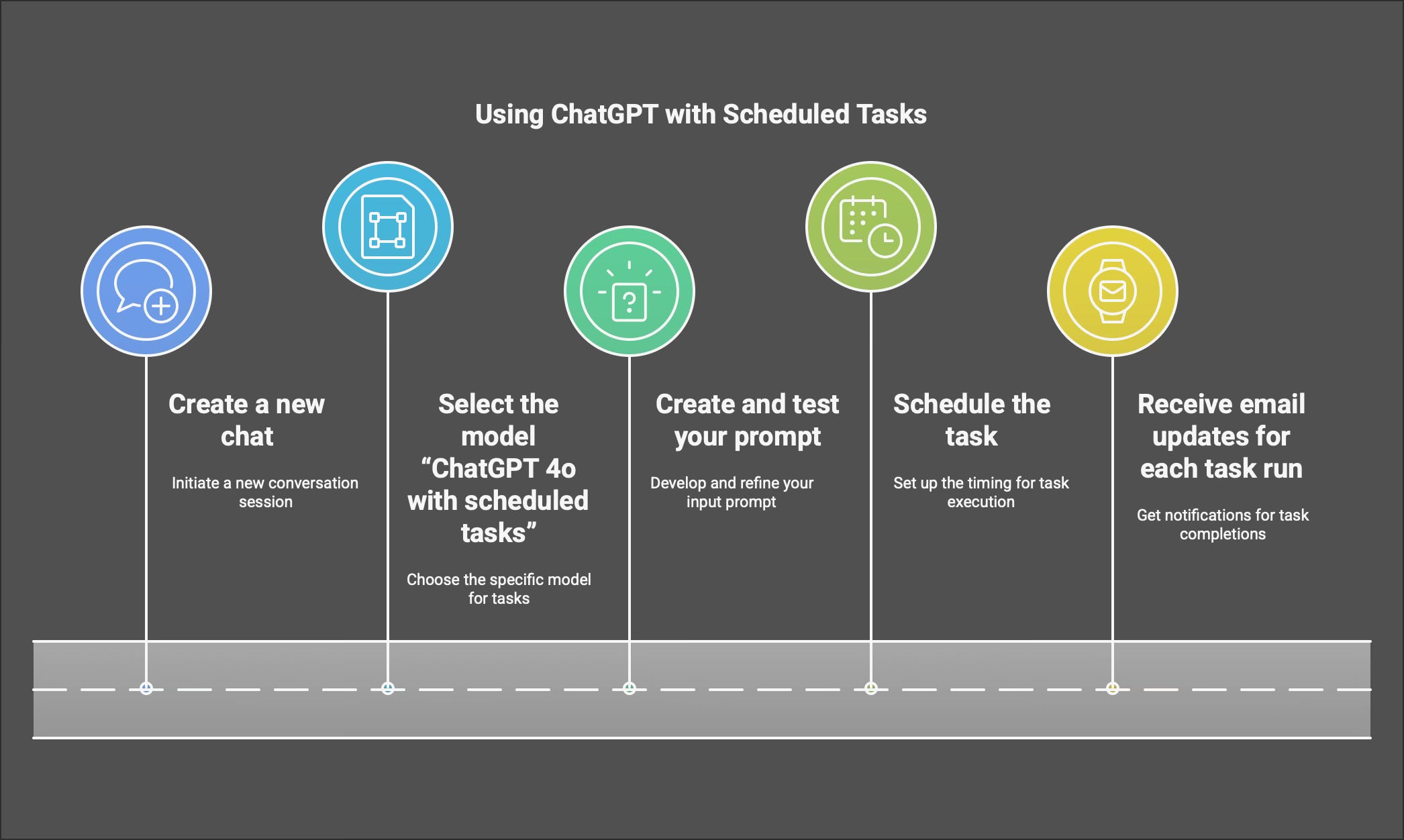
⌨️ It starts with a prompt
You can type nearly any prompt, but you must add a schedule so ChatGPT knows when you want to receive the scheduled task. Following is a basic prompt template to get you started.
Here is all you need for a ChatGPT Task:
Prompt: Please provide me with [what] I need and [when] I need it.
Or, you can be more specific, like this:
Prompt: Send me [x] with these [specific requirements] for [this purpose] on [this date, time, or schedule] folowing [these rules].
